

Eufy Omni S2 150-Day Review: Better Vacuuming, Worse Mopping
After 150 days with the Eufy Omni S2, its cyclone system and solid carpet cleaning stand out, but weaker mopping, inconsistent navigation, software problems and limited app controls make it a difficult flagship to recommend.

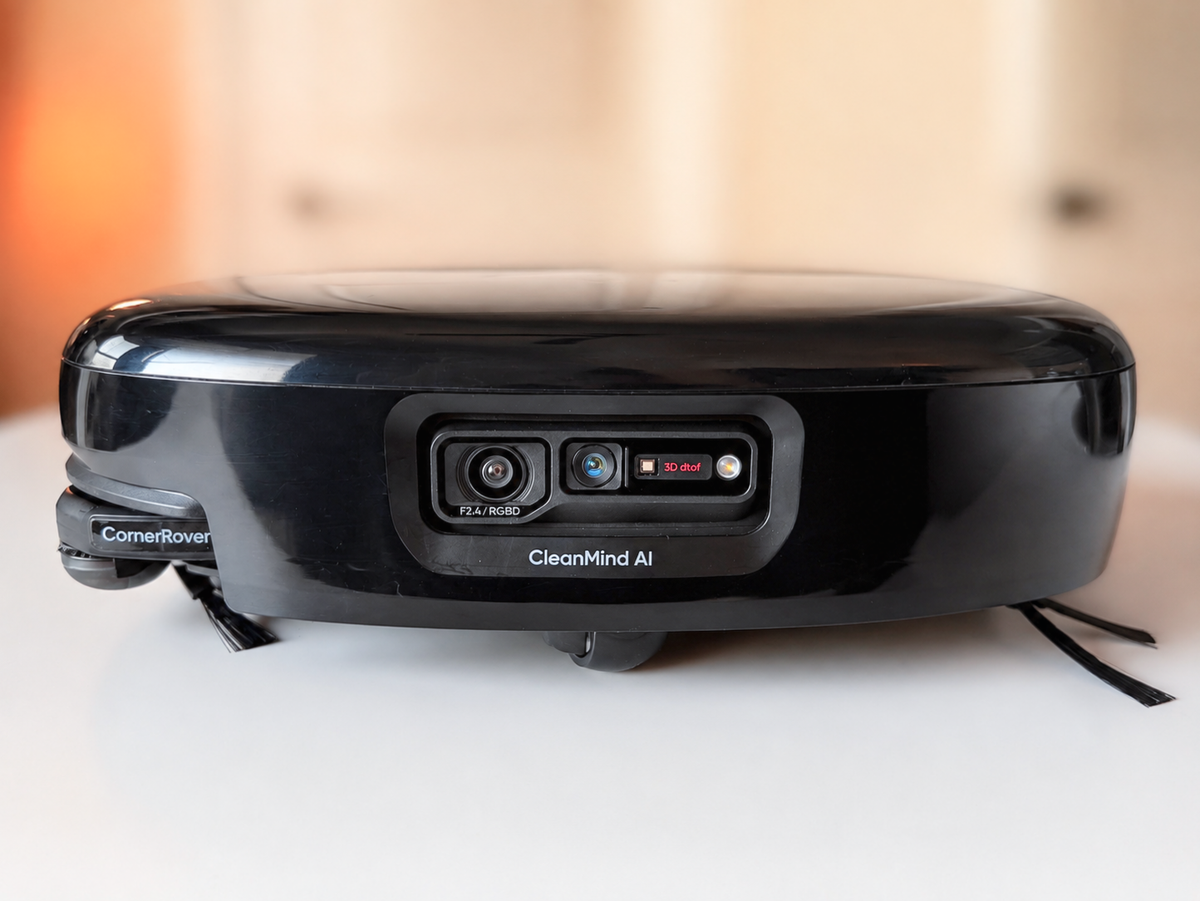
The Eufy Omni S2 has been in our home since its March relaunch, but repeated problems and the elusive hope that firmware updates might resolve our issues kept pushing this review back.
After roughly 150 days, plenty of cleaning cycles and multiple remaps, it's become clear that more time is unlikely to change the verdict on this product.
The Cyclone System Is the Highlight
The most interesting thing about the S2 isn't the mop.
Eufy's cyclone design helps separate debris before air reaches the robot's filter. It does a noticeably better job of preventing the filter from becoming packed with fine dust compared with more conventional robot vacuum designs.
That's a meaningful advantage, especially because clogged filters can quickly reduce airflow and cleaning performance.
It isn't maintenance-free, though.
Dust eventually builds up inside the cyclone itself, and after about 90 days, ours needed to be disassembled and thoroughly cleaned.
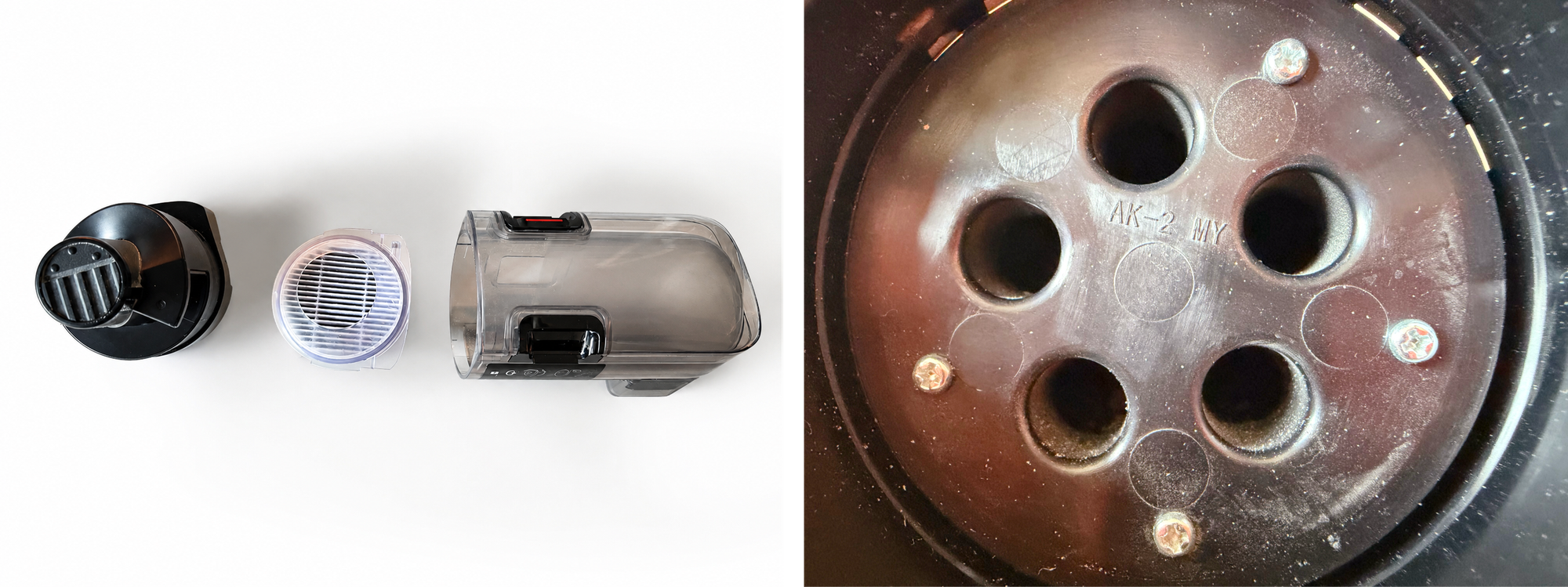
That makes Eufy's cyclone advantage much less clear-cut. Homes with heavy pet shedding will likely need to clean it more often, potentially every 60 days or so.
In practice, you're trading a filter blowout or swap every week or two for a more involved cyclone disassembly every two or three months. The maintenance is less frequent, but it isn't necessarily less work.
Better-Than-Average Carpet Cleaning
Carpet pickup is better than average, although it hasn't lived up to the level of performance suggested by Eufy's marketing.
The S2 generally handles everyday surface debris well and has plenty of suction for routine carpet cleaning but lacks the deep-cleaning ability of the Dyson 360 Vis Nav. Battery life is good, allowing it to cover larger areas without constantly returning to the dock.
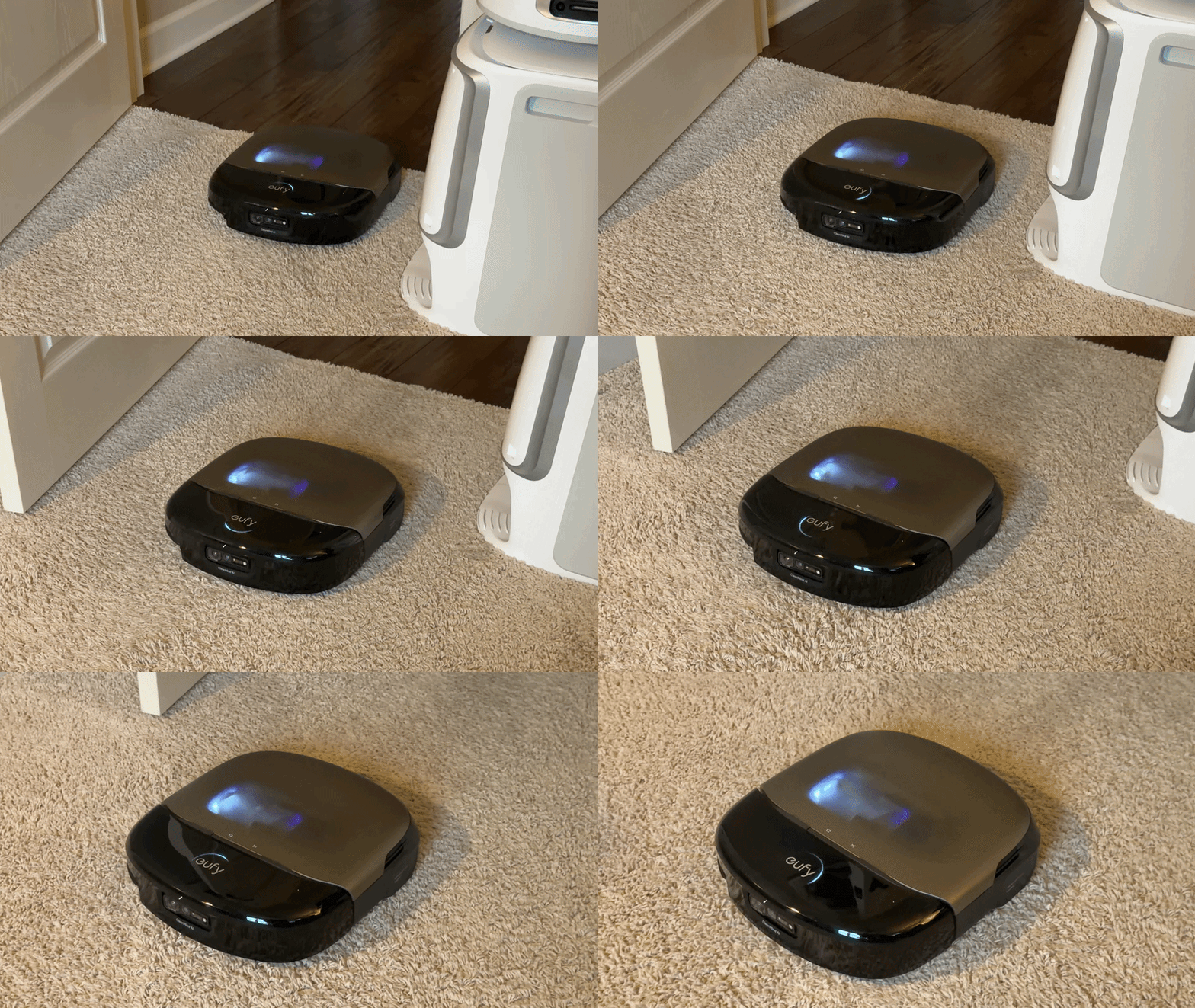
Certain rug and carpet transitions can give the S2 trouble. It may pause and make repeated wheel adjustments before working its way across, and occasionally it gets stuck altogether.
Wheel adjustments are surprisingly noisy, producing a mechanical sound that seems straight out of a "Transformers" film.
The S2’s frequent wheel adjustments are surprisingly loud, producing a noticeable mechanical sound during navigation.
Tassels, on the other hand, are less of an issue. We have a long runner with tassels on both ends, and the S2 consistently steered clear of them.
Maximum suction is reserved for carpet only, leaving hardwood and tile with reduced vacuuming power. That noticeably hurt the S2 when picking up heavier debris such as cat litter and sand on hard surfaces like our floor tile.
Eufy's fragrance pods smell pleasant, but the effect is too subtle to count as a selling point.
The S2 Isn't a Better Mop Than the S1 Pro
Eufy says the S2 applies up to 15 newtons, or 3.3 pounds, of pressure through its roller mop.
But pressure alone doesn't make a good mopping system.
The bigger issue is water usage.
The S2 uses considerably less water than the S1 Pro, which hurts its ability to clean dried or more difficult messes. This is likely due to its smaller onboard clean water tank.
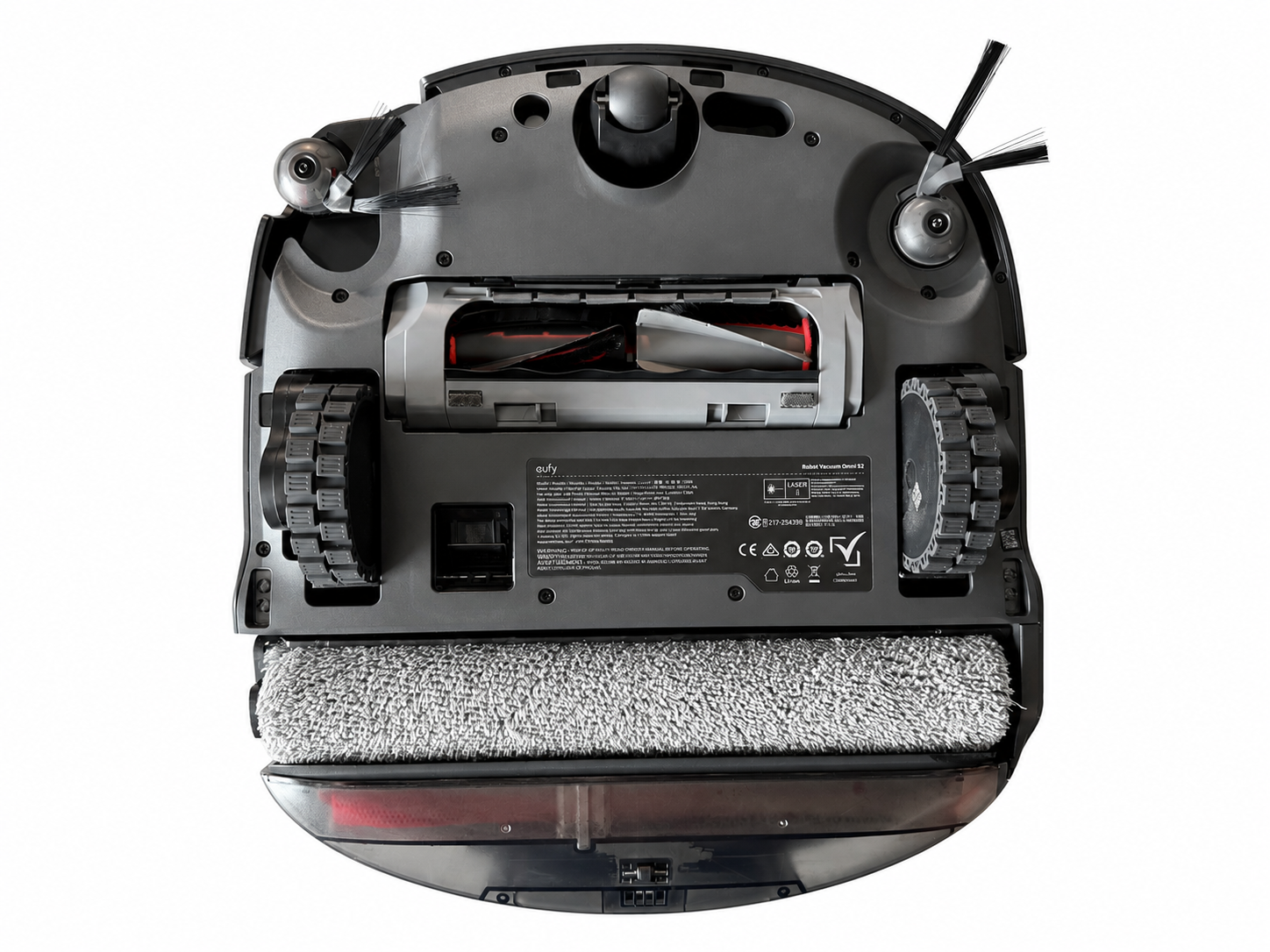
The extending roller doesn't help as much as expected, either. It frequently fails to extend, and even when it does, it doesn't reach as far underneath cabinets or furniture as the S1 Pro, even after setting the height-detection sensitivity to Breakthrough mode.
Maintenance is another step backward.
Like the S1 Pro, the S2 requires regular manual cleaning of the onboard dirty water reservoir. The reservoir has been redesigned with a much thicker scraper, likely to address the dripping issues associated with the S1 Pro, E25, and E28. But the scraper is now fixed in place, which makes the area harder to clean, and we noticed no improvement in mop roller cleanliness to justify the change.
The reservoir's two filters are difficult to remove, and the metal pull tab on one of ours has already broken, forcing us to pry the plug out whenever the reservoir needs cleaning.
Solid Obstacle Avoidance, but Not on Carpet
Obstacle avoidance is above average on hard surfaces. The S2 can recognize and avoid many everyday objects reasonably well, including most cables, shoes, furniture legs and even some clothing.
On carpet, it becomes considerably less reliable, with the S2 frequently failing to identify clothing, shoelaces and even caster wheels on office furniture.
There appear to be other firmware issues involving carpet. Our S2 hard stopped several times at doorway transitions where carpet meets hard flooring, throwing a red light error each time with no obvious trigger.
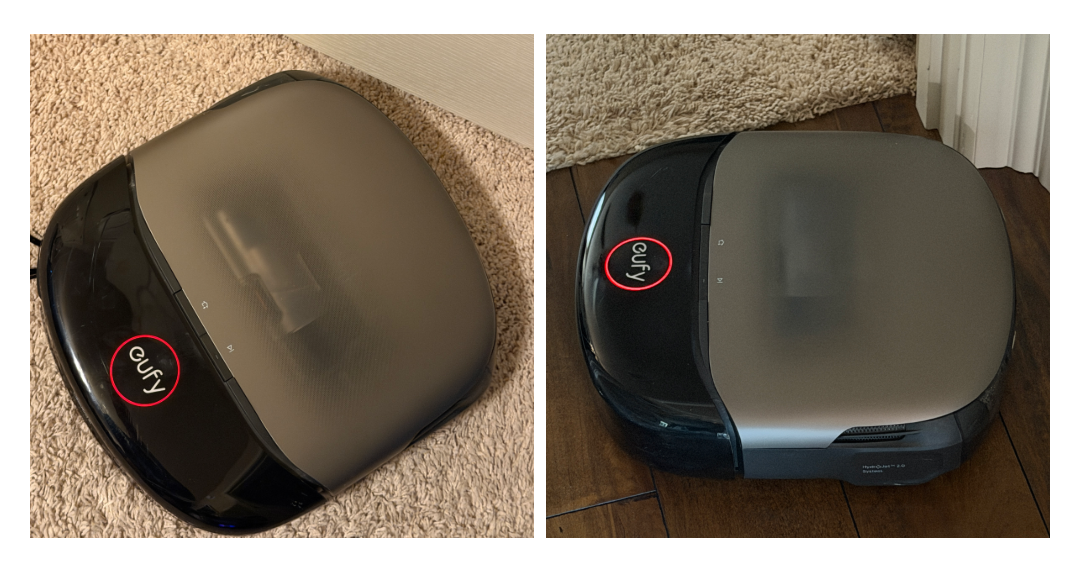
Eufy advertises the robot's ability to detect stains and shows it cleaning a ketchup-like spill, but the S2 failed to recognize similarly colored salsa that spilled on the floor in our home. Instead of identifying the mess and adjusting its cleaning behavior, it simply drove through it.
Dirty spot cleaning was inactive.
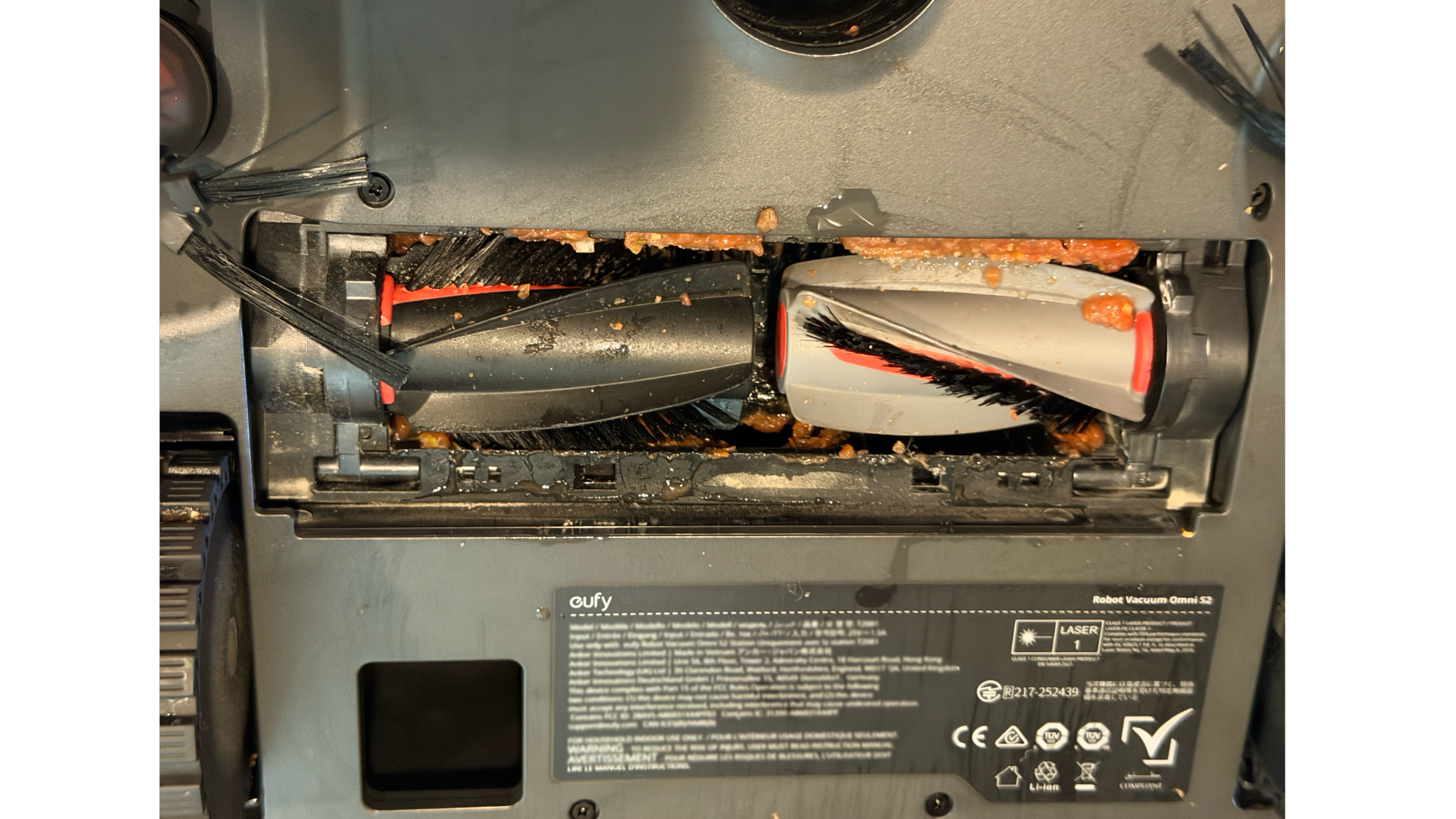
Owners in the unofficial Eufy S1 Pro Discord have also shared photo evidence of the S2 failing to detect pet waste. Eufy customer support has acknowledged that the AI.See algorithm is still a work in progress.
Navigation Feels Like a Step Backward
The original S1 Pro wasn't perfect, but its front-mounted spinning lidar gave it dependable spatial awareness.
One of the S1 Pro's biggest strengths was how well that navigation complemented the physical design. The slim, squircle-shaped body could reach beneath furniture and maneuver through tight areas around bathroom fixtures and under cabinets.
Unfortunately, the S2 doesn't feel as capable in those confined spaces.
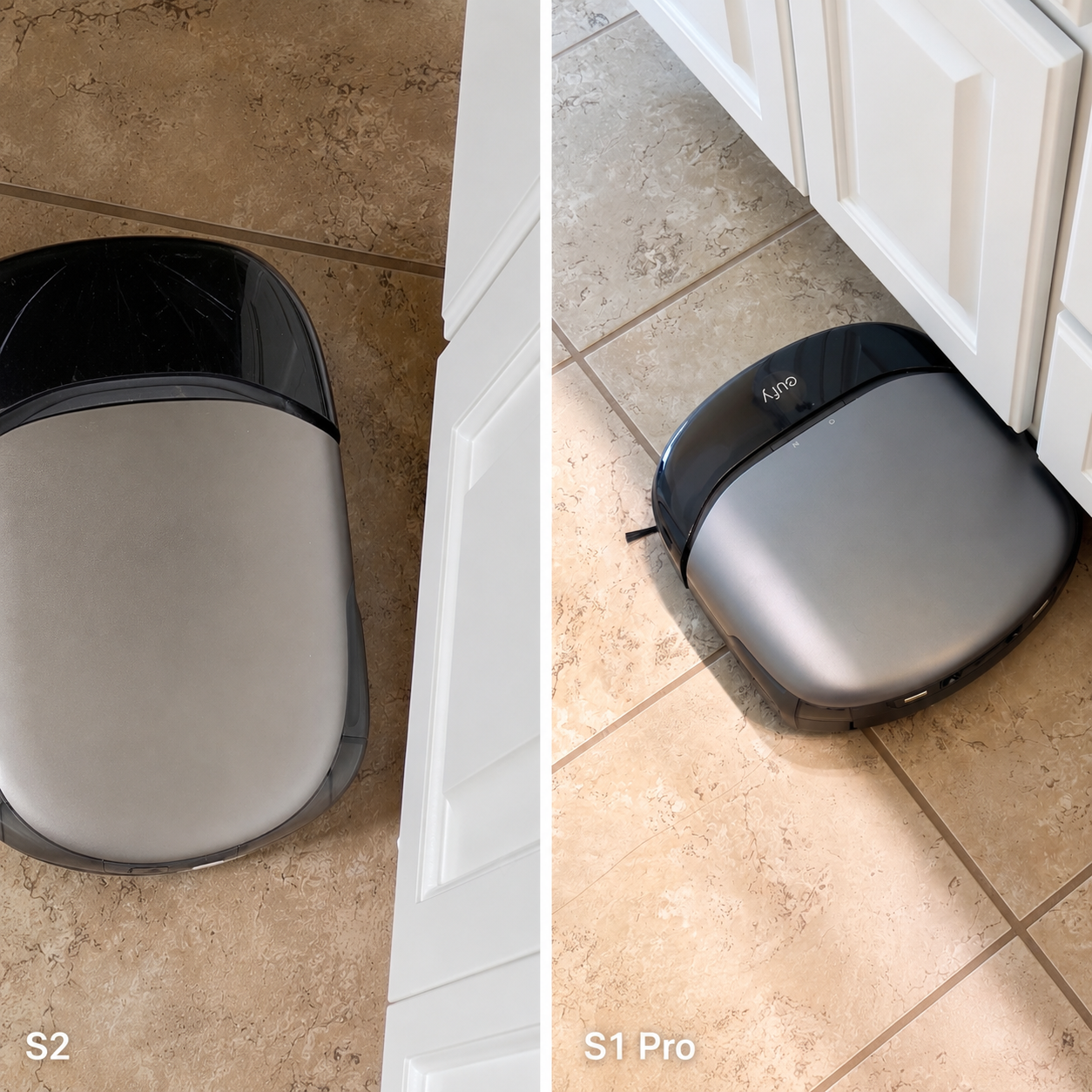
It can struggle in dark rooms and is more prone to becoming confused or stuck. We've also had it repeatedly bump into doorframes and trim after missing a room entrance by just a few inches.
The S2 can also look awkward when it moves. The back end often sways from side to side, almost like it’s fishtailing. It gets where it needs to go, but it just doesn’t look very smooth doing it.
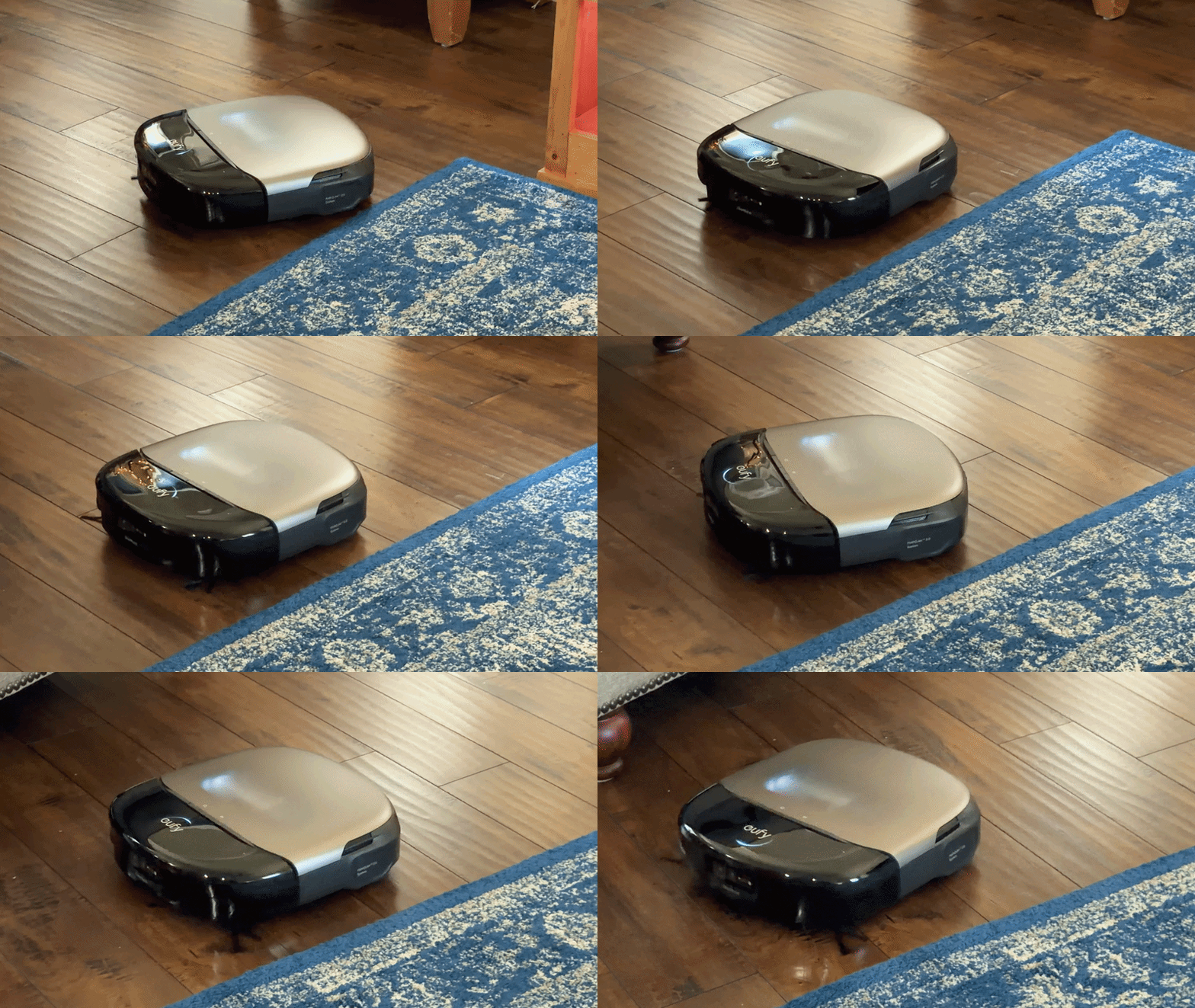
Eufy's monthly firmware updates haven't always made things better.
During our first 150 days with the S2, software issues forced us to remap our home multiple times. That becomes especially frustrating after spending time editing rooms, creating cleaning scenarios and rebuilding no-go zones.
Automated schedules and cleaning tasks were also inconsistent after a remap. Sometimes they carried over and worked as expected, and other times they had to be recreated or simply failed to run.
The App Compounds the Problem
For a flagship robot vacuum in 2026, Eufy's app simply isn't on the same level as its competitors.
The most glaring omission is a dedicated mop-only mode. After years of Eufy positioning its roller mop as a headline feature, that's increasingly difficult to excuse, especially at this price.
More broadly, the app lacks the customization available from Dreame, Roborock, Ecovacs and Narwal.
There are only three water-flow levels for the mop: low, medium and high. Competing flagships typically offer much more granular control, often through sliding scales with dozens of adjustment levels. If you prefer to fine-tune water use for specific spills or messes, the S2 gives you very little control.
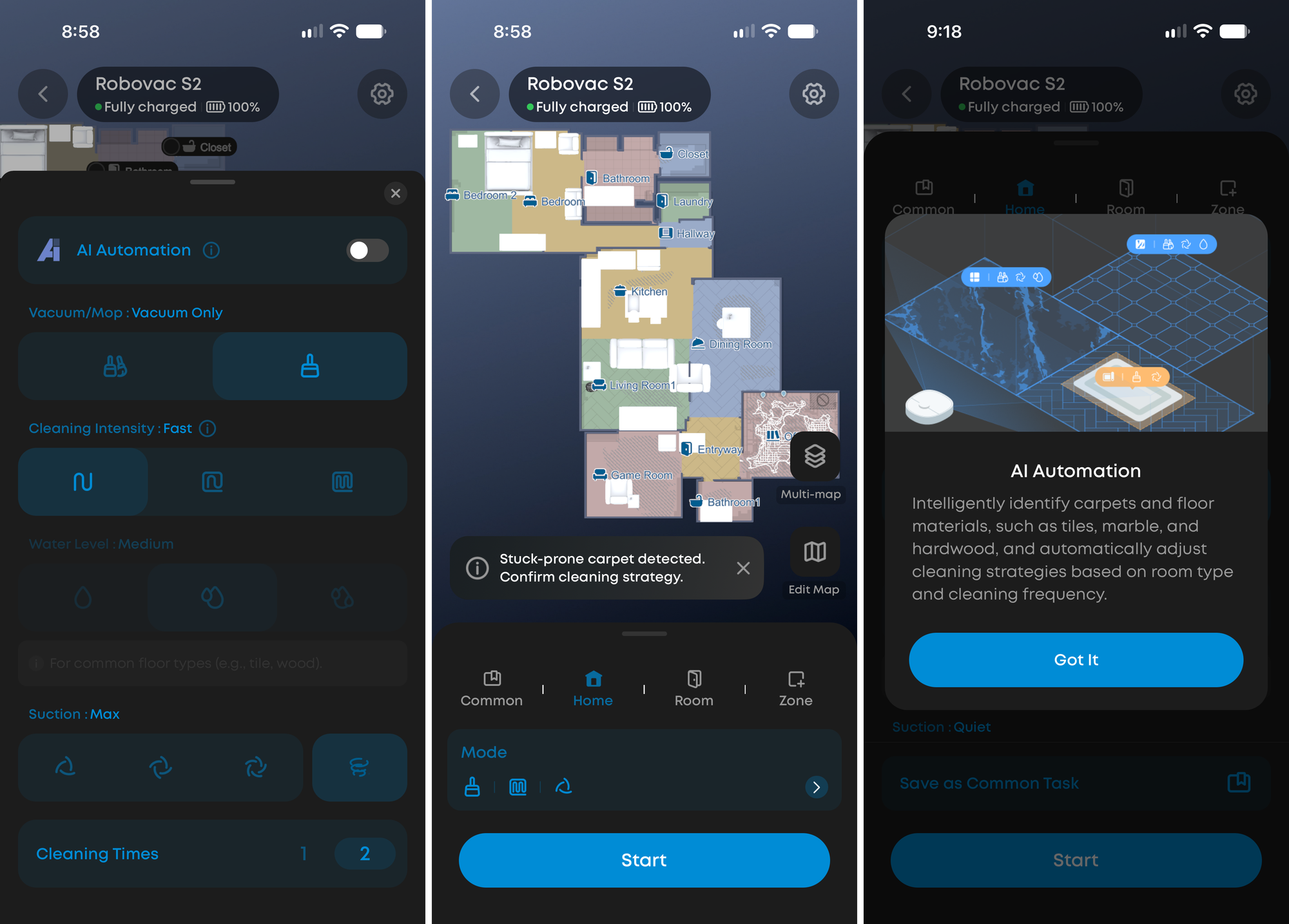
AI Automation does a good job of detecting floor types and adjusting cleaning strategies, but it isn't nearly as customizable as Narwal's Freo Mind or Dreame's CleanGenius automated cleaning modes.
On our engineered hardwood, running across the planks rather than along them is noticeably louder, and can leave debris and water sitting in the seams. Some competitors offer a "clean along floor direction" setting for exactly this issue. The S2 doesn't.
Self-emptying controls are similarly limited, with intervals based only on 15-minute increments up to 60 minutes.
Map editing is above average, and automatic furniture detection is one of the better implementations on the market.
However, the app can also create phantom smart no-go zones and unnecessary stuck-carpet warnings that require manual dismissal after every run.
Those pop-ups are annoying, and they only add clutter to a map interface that could already use simplification.
A Nice Base Station With Some Compromises
The Omni station is sleek and relatively narrow, with a taller design that places the water tanks higher than many competing docks.
That's a practical advantage because it means less bending over when removing or replacing the tanks, and the station looks more refined than some of the oversized docks that now accompany flagship robot vacuums.
The trade-off is capacity.
The clean-water tank is smaller than those offered by many competitors, something that becomes more noticeable in larger homes or with frequent mopping.
Eufy is also one of the few robot vacuum makers still using a sealed, proprietary detergent cartridge. You can't refill it or use your own floor cleaner.
It's gotten more expensive, too. The S2's cartridge costs $22.99 and holds a little over half of what the S1 Pro's did, which sold for $32.99. Ounce for ounce, you're paying about 27% more than you were for detergent.
Support and Parts Availability
Replacement parts have also been difficult to get.
Within the first month of ownership, our S2 suffered substantial scratching to the front bumper after repeatedly forcing itself beneath low-clearance furniture, an issue tied to early firmware.
Eufy support offered to replace the bumper at no cost, but the part took roughly three months to arrive.
In our case, the damage was cosmetic and didn't prevent us from using the S2. But a similar delay involving a more critical component could leave the robot unusable for months.
That's difficult to overlook on a premium robot with so many moving parts.
To Eufy's credit, its customer support team stayed on top of the issue and sent periodic email updates about the part's availability and expected ship date, although most of those estimates were inaccurate.
We also had several interactions with Eufy customer support over the past few months, including after the salsa incident.
During that time, the company appeared to rely heavily on AI-assisted troubleshooting before a support representative stepped in. We received repeated requests for information about the same issues and, in some cases, had to repeat troubleshooting steps such as sending videos, photos and device logs.
Instead of moving the issue forward, the process often felt repetitive and unnecessarily drawn out.
For a robot in this price range, after-sales support should be easier to access and more responsive.
Too Many Compromises for the Price
There are things to like about the S2. Its cyclone design remains rare among robot vacuums, carpet pickup is better than average and battery life is solid.
The base station is also a highlight. It feels premium, handles a lot of the day-to-day maintenance automatically and is one of the more advanced designs on the market.
The robot itself is slim enough to fit beneath low-clearance furniture that stops many competing models.
But those strengths are overshadowed by an ownership experience that has been consistently frustrating. The S2's navigation feels less polished than the S1 Pro's, software issues have forced repeated remapping, the app still lacks customization and maintenance has been higher than expected.
For S1 Pro owners hoping the S2 would be the obvious successor, it isn't. In several important ways including mopping performance, it feels like a step backward.
At $1599, the S2 makes too many compromises, especially when better options are available.
Skip it.



